
Electro Cables
Login

What Is a Flat Screen TV?

A Flat Screen Tv is a television with a thin, generally flat display panel, unlike the deep-backed CRT sets once common in homes. The term describes the screen’s shape, not one specific display technology. Many current models use LCD panels, including LED-lit designs, while OLED sets create light at each pixel. These technologies can affect contrast, brightness, viewing angles, and price. The distinction matters. A slim cabinet does not guarantee a better picture.

Understanding the basics makes product comparisons more useful. Resolution describes the number of pixels that form the image, while screen size measures the display diagonally. Refresh rate, panel type, and image processing can also influence how motion and detail appear. However, advertised specifications do not always predict what you will notice from your sofa. Room lighting, viewing distance, and the content you watch all play a part. Check the available ports, too, especially if you plan to connect a game console, soundbar, or streaming device. Small details count. This guide explains what flat-screen televisions are, how their main display technologies differ, and which practical features deserve attention. It also separates common marketing language from useful buying information. No specification tells the whole story; personal preferences and room conditions still matter. That can make choosing a model less tidy than a comparison chart suggests.
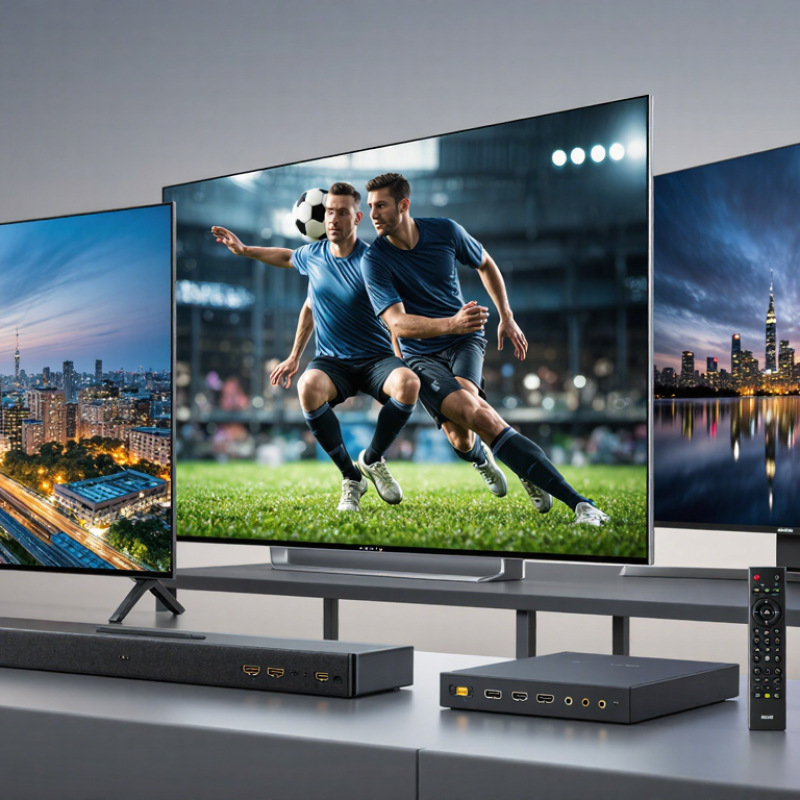
What Is a Flat Screen TV?

Definition and Key Characteristics of a Flat-Screen TV

A flat-screen TV is a television with a thin, relatively flat display panel rather than a deep, curved picture tube. Most modern models use liquid crystal display technology with LED backlighting or self-emissive pixels. Their slim shape makes them easier to place on a wall, stand, or narrow cabinet. The screen itself may be only a few centimeters thick, though its base and rear casing add depth.

Key characteristics include screen size, resolution, brightness, contrast, and viewing angle. Resolution describes how many pixels form the image; more pixels can show finer detail, especially on larger screens. Brightness affects visibility in a sunny room, while contrast helps dark scenes look more distinct. Results vary with room lighting and viewing position. A sharp picture is not guaranteed by resolution alone.

Tips: Measure the space and viewing distance before choosing a screen. Check the panel from the seat where you actually watch, not just straight on. Keep glare in mind; a bright window can wash out details. It is easy to overlook sound, too. Thin cabinets often leave little room for strong built-in speakers, so dialogue may sound less full than expected.


How Flat-Screen Displays Produce Images

A flat-screen TV forms images by controlling tiny red, green, and blue subpixels. Their light blends into the colors you see. In an LCD display, a backlight shines through liquid-crystal layers, which regulate how much light passes each pixel. OLED displays work differently: each pixel produces its own light and can switch off for deep blacks. Small parts. Big effect.

Resolution determines how much detail the screen can show. ITU-R Recommendation BT.2020 specifies UHD formats including 3,840 × 2,160, or about 8.3 million pixels. Each pixel receives image information, while color filters and brightness controls shape its appearance. The screen also refreshes to show motion. Fast action may look smooth, but settings can make a film seem oddly sharp. I still find that trade-off easy to overlook.

Tips: Sit far enough away to see the whole picture comfortably. Try a familiar scene with dark shadows and bright highlights. Adjust brightness gently; a vivid showroom image may feel tiring at home.

What Is a Flat Screen TV? - How Flat-Screen Displays Produce Images

Display type How it produces an image How light is generated Typical characteristics Important consideration
Flat-screen TV (general) A thin, flat panel contains a grid of picture elements, or pixels. The display changes the color and brightness of those pixels to form moving images. Depends on the display technology: the panel may control light from a backlight or produce light at each pixel. “Flat screen” describes the screen’s shape, not one specific image-making technology. The display type determines how contrast, brightness, and viewing characteristics are produced.
LCD with LED backlighting Liquid crystals change how much backlight passes through each pixel’s red, green, and blue color filters. Light-emitting diodes behind or along the edges of the LCD panel provide the backlight. A widely used flat-panel design; the liquid-crystal layer shapes the light rather than producing it. Because a backlight is used, dark areas may not appear as completely black as on a self-emissive display.
Quantum-dot LCD It uses an LCD layer to control light, with a quantum-dot layer helping produce more precisely defined colors. A backlight, commonly blue LEDs, excites quantum dots that emit selected colors of light. Can provide a wide color range while retaining the basic backlit-LCD image process. Quantum dots improve color generation; they do not make the LCD pixels self-emissive.
Mini-LED LCD An LCD layer controls the image, while many small LEDs are arranged in local dimming zones behind the panel. The mini-LEDs provide a controllable backlight; groups of LEDs can be dimmed independently. More numerous, smaller backlight sources can allow finer local dimming than a basic backlight design. It remains an LCD technology, so light can still spread between bright and dark areas.
OLED Each pixel contains organic light-emitting elements that produce light when an electric current passes through them. Pixels are self-emissive, so a separate backlight is not required. Individual pixels can be switched off, allowing very dark areas and high image contrast. Static images displayed for long periods can pose a risk of uneven pixel wear over time.
Plasma (legacy) Tiny cells containing gas create ultraviolet light when electrically energized; that light makes phosphors emit visible red, green, or blue light. Each cell generates light through an electrical discharge and phosphor emission. Unlike LCD, plasma pixels produce their own light. Plasma is an older flat-panel technology and is no longer commonly used in new TVs.

Note: Display names describe different ways of generating or controlling light; some, such as Mini-LED and quantum-dot LCD, are enhancements to LCD technology.

Main Types of Flat-Screen TV Technology

A flat-screen TV uses a thin display panel rather than a bulky picture tube. The main technologies differ in how they create light and color. LCD televisions use liquid crystals to shape light from a backlight, commonly made with LEDs. QLED is still LCD technology; a quantum-dot layer helps produce richer colors. Mini-LED also remains an LCD type, but its smaller backlight zones can improve contrast. The labels can sound confusing. They describe overlapping features, not always separate display technologies.

OLED pixels create their own light, so individual pixels can switch off for deep blacks. In a dim room, that can make dark scenes look especially vivid. Bright highlights and static images can be more challenging, depending on the panel and viewing habits. MicroLED also uses self-emitting pixels, but remains less common in everyday consumer televisions. Trade-offs matter.

Industry forecasts help show how these options are developing. TrendForce’s 2024 forecast projected 6.83 million OLED TV shipments worldwide, 15% above 2023. That is a shipment estimate, not proof that OLED suits every room. A bright living room may favor a high-output LCD, while a dark movie space can reveal OLED’s contrast advantage. Still, specifications alone miss practical details: glare from a window, subtitles in a dark scene, and how the screen looks from the side. A careful comparison in your own lighting is useful.

Essential Components and Features

A flat-screen television combines a display panel, image processor, power supply, speakers, and input ports. The panel creates the picture; its pixels control color and brightness. In LCD sets, a backlight shines through the panel. OLED pixels produce their own light. That difference affects black levels, viewing angles, and how the screen handles dark scenes.

Resolution is only one part of picture quality. The Consumer Technology Association’s UHD display criteria define 4K as 3,840 × 2,160 pixels, or about 8.3 million pixels. More pixels can sharpen fine details, but source quality and viewing distance matter too. Small text helps. A modest room may reveal little difference between resolutions. The HDMI Forum’s HDMI 2.1 specification supports bandwidth up to 48 Gbps, enabling features such as higher frame rates with compatible devices. Check port support carefully: not every input on a television necessarily offers every feature.

Other essentials include refresh rate, HDR support, Wi-Fi, and audio output. Refresh rate describes how often the image updates, while HDR can expand brightness and color range when content supports it. Built-in speakers save space, but their small enclosures can limit bass. Energy use also varies with screen size, brightness, and settings; the U.S. Department of Energy’s television efficiency guidance recommends checking the EnergyGuide label when comparing models. Specifications are useful, though real viewing conditions can complicate the comparison.

Common Uses and Practical Considerations

What Is a Flat Screen TV?
Common Uses and Practical Considerations

Flat-screen televisions are used for more than watching shows from the sofa. In a living room, they can display films, live events, or family photos on a shared screen. In a bedroom, a smaller set may be easier to position without dominating the space. Some people also connect a television to a computer or game console for work presentations, learning, or play. Useful flexibility. The best setup depends on who uses the screen and how often.

Before choosing a place for one, measure the wall or stand and check the viewing distance. A screen that seems impressive in a shop can feel oversized in a small room. Natural light matters, too: a window opposite the screen may create distracting reflections during daytime viewing. Check that nearby outlets and cables can be reached safely, without stretching cords across a walkway. Sound matters. Built-in speakers can be adequate for casual viewing, but dialogue may be harder to hear in a noisy room. It is easy to assume a newer, larger screen will improve every viewing experience. It may not; glare, seating position, and daily habits often matter just as much.

What Is a Flat Screen TV? Common Uses and Practical Considerations

Suggested Viewing Distance for 4K TVs

These approximate distances use a common 4K viewing guideline of about 1 to 1.5 times the screen’s diagonal; the bars show the midpoint. Room layout, eyesight, and personal preference can affect the ideal distance.

Article Source:

Lighting Power & Control-Signal Cable

This content is restricted to site members. If you are an existing user, please log in. New users may register … LEARN MORE “Lighting Power & Control-Signal Cable”