Electro Cables
Login

7 Best Power Extension Cables for Home and Office

A power extension cable can turn one wall outlet into a practical workstation, but the wrong choice can create clutter, overheating, or trip hazards. The U.S. Consumer Product Safety Commission reports that extension-cord-related injuries send about 4,000 people to emergency rooms each year. Many involve trips and falls. That number is a useful reminder: cable length, placement, and everyday handling matter as much as convenience.

Electrical Safety Foundation International president Brett Brenner has emphasized that extension cords are for temporary use, not a substitute for permanent wiring. For home and office shoppers, that means checking the cord’s rated current, wire gauge, length, grounding, and indoor or outdoor rating before plugging in a lamp, monitor, or power-hungry appliance. A longer cord may look neater, but length and load ratings still need to match the job. Small label details matter.

This guide to the 7 Best Power Extension Cables for Home and Office compares practical options for desk setups, shared rooms, and occasional outdoor tasks. It considers outlet spacing, cable flexibility, safety certifications, and useful features such as surge protection. A power strip and a surge protector are not automatically the same thing. Nor is a higher outlet count always better. The right choice depends on what you plan to connect, and a little caution beats buying by appearance alone.
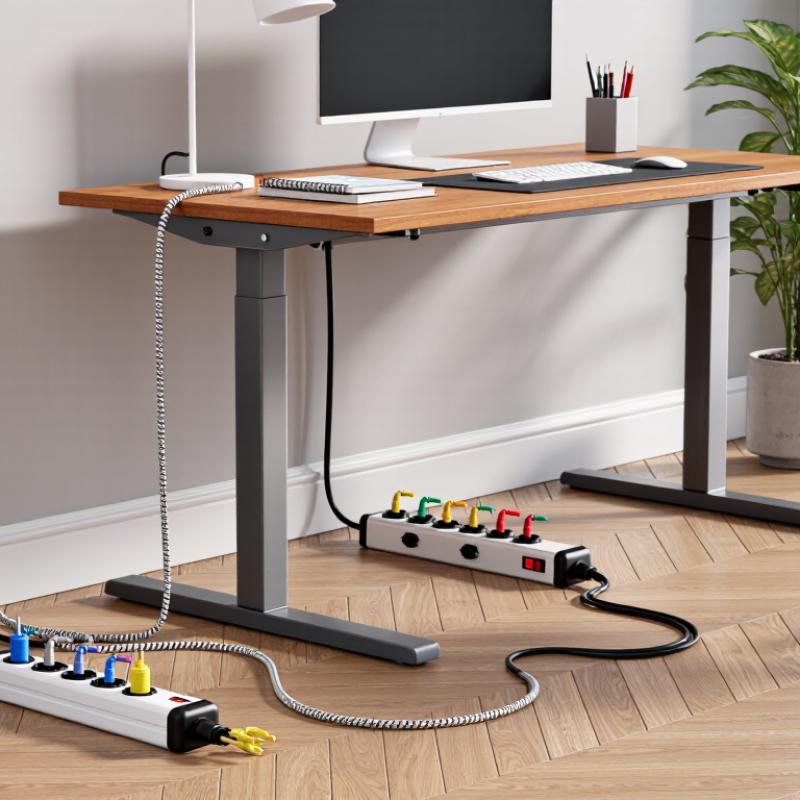
7 Best Power Extension Cables for Home and Office

What Power Extension Cables Are and How They Work

A power extension cable carries electricity from a wall outlet to equipment that cannot reach it directly. Inside, metal conductors carry current, while insulation separates them and helps prevent contact. The cable does not create extra power or make an outlet stronger. Its job is to extend the connection safely within its rated limits. Think of a desk lamp and laptop sharing a strip: each device draws current through the same supply path.

The cable’s printed voltage, current, and wattage ratings indicate what it can handle. A thinner or longer cable can experience greater voltage drop and heat under heavy load. That matters. The National Fire Protection Association’s Home Electrical Fires report estimated an annual average of 32,620 U.S. home structure fires involving electrical failure or malfunction during 2015–2019. This figure covers many electrical causes, not extension cables alone, but it shows why damaged insulation and overloaded connections deserve attention.

For home or office use, match the cable rating to the connected devices, keep plugs firmly seated, and replace cords with cracked insulation or bent prongs. Avoid running cables beneath rugs, where heat and wear may go unnoticed. Coiling excess cable tightly can also trap heat. I used to think a longer cord was merely more convenient; in practice, length and load need checking together. A little inconvenient, perhaps—but worth questioning before adding another device.

Power Extension Cables: Estimated Voltage Drop by Length

Longer cables and thinner conductors generally cause greater voltage drop. Estimates assume a 120 V supply, a 10 A load, copper conductors at approximately 20°C, and round-trip conductor length; plug and connection losses are excluded. Choose a cable rated for the load and follow the appliance and cable manufacturer’s guidance.

Key Features to Check Before Choosing an Extension Cable

When choosing a power extension cable, check its voltage and current rating against the devices you plan to connect. A cable’s rating should meet or exceed the total load, while never exceeding the wall outlet’s capacity. For equipment that draws more power, a thicker conductor can help reduce heating and voltage drop, especially over longer distances. Length matters. A cable stretched across a room may look convenient, but excess cable should not be tightly coiled while in use because heat can build up.

Look for a grounded three-prong plug when your equipment requires grounding, and check that the cable jacket suits its location. Indoor cables are not designed for damp areas or outdoor exposure. A built-in overload switch can add protection, but it does not make an overloaded cable safe. Check the spacing and shape of outlets too; bulky adapters can block neighboring sockets. Keep cables away from rugs, doorways, and heat sources, and replace any with cracked insulation or loose plugs. Small details count. I would still measure the route before buying; it is easy to underestimate the distance from a desk to an outlet.

How to Match an Extension Cable to Home or Office Needs

Choosing an extension cable starts with the equipment, not the color or price. Check each device’s label for its wattage or current draw, then choose a cable rated to handle the combined load. A desk setup with a monitor, lamp, and printer may need more capacity than a phone charger alone. Leave a margin rather than running the cable at its limit. That small check matters.

Length affects both convenience and performance. Measure from the outlet to the farthest device, then allow a little slack for furniture moves. A cable stretched tightly across a room can become a trip hazard; a very long cable can also be awkward to coil and store. Thicker conductors generally suit higher loads and longer runs, but the product’s stated rating is the key detail. No perfect length exists. I would rather have a few spare inches than a cable pulled taut.

For home or office use, match the cable’s environment and outlet design. Indoor cables belong in dry rooms; choose a cable specifically rated for outdoor conditions if it will be exposed to moisture or weather. Look for grounding when your equipment requires it, and use enough outlets without stacking adapters. Avoid covering a cable with rugs or running it through doorways where it may be pinched. Inspect the jacket and plug occasionally. If either feels damaged or unusually warm, stop using it. I admit that neatly hiding cables can be tempting, but safety deserves the clearer route.

7 Best Power Extension Cables for Home and Office - How to Match an Extension Cable to Home or Office Needs

Cable Type Typical Configuration Best For Key Selection Details Limitations to Consider
Short, light-duty grounded cord 16 AWG, 3-conductor; about 3 ft; grounded 3-prong ends Moving a lamp, monitor, or other low-load device a short distance Compact and easy to route behind a desk or cabinet. Some 16 AWG cord assemblies are marked 13 A; check the rating on the cord itself. Not a general choice for high-power appliances or equipment with a load above the cord’s marked rating.
Everyday desk cord 16 AWG, 3-conductor; about 6 ft; grounded 3-prong ends Reaching a nearby outlet from a home-office desk Offers a modest reach without leaving a long excess loop. Match the cord’s marked amperage to the connected equipment. Avoid running it under rugs, through doorways, or where furniture may pinch the cable.
Medium-length general-purpose cord 14 AWG, 3-conductor; about 15 ft; grounded 3-prong ends Office equipment or household devices positioned farther from an outlet 14 AWG is thicker than 16 AWG. Many cord assemblies of this type are rated up to 15 A, but the assembly label is the authority. Longer cords can have greater voltage drop under load; use only the length needed.
Longer indoor cord 14 AWG, 3-conductor; about 25 ft; grounded 3-prong ends Occasional indoor use where a standard desk cord is not long enough Check the cord’s rating and condition before use, and keep the route visible and protected from foot traffic. Do not connect cords together to extend reach. For demanding loads, select a suitable heavier-duty assembly or reposition the equipment.
Heavy-duty indoor cord 12 AWG, 3-conductor; commonly available in lengths such as 25 ft; grounded ends Compatible higher-load equipment when an extension cord is permitted by its instructions The thicker conductors can help reduce voltage drop compared with a thinner cord of the same length. Use the amperage rating marked on the complete cord assembly. Gauge alone does not determine the cord’s allowable load. Do not exceed the rating of the cord, plug, outlet, or connected equipment.
Outdoor-rated cord 12/3 or 14/3; length selected for the task; outdoor-use marking on the jacket Temporary outdoor use with compatible garden or work equipment Look for a clear outdoor-use marking, an intact grounded plug, and a rating suited to the connected load. Keep connections away from standing water. Use outdoors only if the cord is specifically marked for outdoor use. Inspect for cuts, damaged insulation, or loose connections before each use.
Low-profile plug cord Grounded 3-conductor cord; often 14 AWG; about 6–10 ft Furniture placed close to a wall outlet, such as a desk or media cabinet A right-angle or low-profile plug can reduce how far the plug projects from the wall. Confirm that the plug design preserves the required grounding connection. Do not force furniture against the plug or bend the cord sharply. Check the assembly’s length and electrical rating before buying.

Safety note: These are general selection examples for household-style cords, not guaranteed ratings for every product. Follow the cord and appliance instructions, use a cord with an intact grounding path when required, and never use an extension cord as permanent wiring. Avoid using extension cords for high-wattage appliances unless the appliance manufacturer explicitly permits it.

Seven Power Extension Cables for Different Everyday Uses

A power extension cable should fit the room, the appliance, and the distance—not just the nearest outlet. A short desk cable can serve a lamp or charger without leaving spare cord across the floor. A flat-plug cable sits closer to a wall, useful behind a desk or bookcase. Measure first. For a shared work area, a multi-outlet cable gives separate sockets to monitors and small accessories; check its total load rating before connecting them.

A cable with built-in surge protection may suit computers and other sensitive electronics, though it cannot prevent every kind of electrical damage. A long-reach cable can help when furniture sits far from an outlet, but extra length should not become a trip hazard. Keep it visible. For patios or damp locations, use a cord specifically rated for outdoor conditions, and keep its connections away from standing water. Indoor cords are not substitutes.

A retractable cable can reduce clutter in a temporary work setup, while a heavy-duty cable may better suit equipment with higher power needs, if its rating matches the device. Read the labels on both cable and appliance; the lower limit matters. Do not connect extension cables end to end or run them under rugs, where heat and damage can go unnoticed. I used to choose by length alone. That was convenient, but not a careful way to choose.

Safe Setup and Care for Power Extension Cables

Safe Setup and Care for Power Extension Cables

A tidy cable can still create a hazard if it is overloaded or damaged. The National Fire Protection Association estimated 46,700 U.S. home fires involving electrical failure or malfunction each year from 2015 to 2019. That figure covers more than extension cables, but it shows why everyday electrical checks matter. Check the cable’s label before connecting heaters, printers, or other high-wattage equipment. Its rating must meet or exceed the device’s requirements. Keep plugs firmly seated, and never force a loose connection. Small details matter.

Route cables along open walls, not beneath rugs, furniture, or doorways. Trapped heat and repeated pressure can damage insulation without leaving an obvious mark. Fully unwind a reel-style cable before heavy use, and keep connections away from sinks, damp floors, and outdoor weather unless the cable is rated for those conditions. Do not connect extension cables end to end or treat one as permanent household wiring. If a cable feels unusually warm, smells burnt, or shows cracks, unplug it and stop using it.

Tips: Inspect the plug, cord, and socket before each use. Unplug by holding the plug, not pulling the cable. Store cords loosely coiled in a dry place; tight knots can strain the wire. I still find cable checks easy to skip when a desk is busy. That is exactly when a quick look helps.

Lighting Power & Control-Signal Cable

This content is restricted to site members. If you are an existing user, please log in. New users may register … LEARN MORE “Lighting Power & Control-Signal Cable”